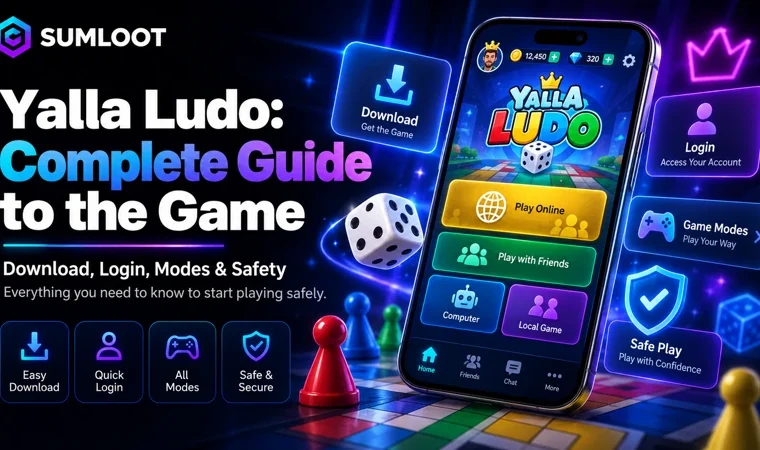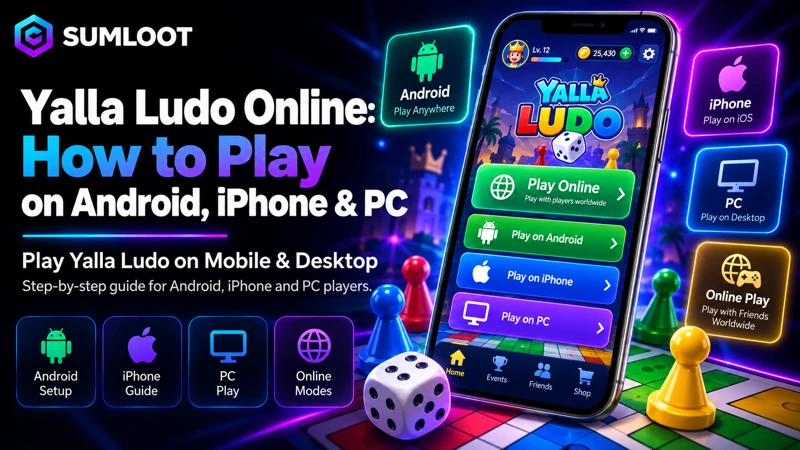
Yalla Ludo online brings the classic board game to mobile with multiplayer matches, friend rooms, voice chat, and several game modes. Instead of waiting for everyone to sit around one board, players can join from different places and play together. The app also includes Jackaroo and Domino, but Ludo remains one of its main games.
Google Play currently shows more than 100 million downloads, which shows how widely the app has reached. This guide explains how online play works, which devices support the game, how friend matches work, and what you should know about rooms, game modes, and voice features. The only thing the internet cannot fix is your friend rolling a six exactly when they need one.
What Is Yalla Ludo Online?
Yalla Ludo is an online board game app that lets players compete with friends or other users through an internet connection. Its social features make it different from a basic Ludo app that only lets you play against computer-controlled opponents. Players can join matches, invite friends, talk through voice chat, and switch between several game styles.
The same app also includes Jackaroo and Domino for people who want a change from Ludo. This gives players more variety without moving to another app every time they want a different board game.
Is Yalla Ludo an Online Game?
Yes. The Yalla Ludo online game supports internet-based multiplayer play, social rooms, friend invitations, and live voice features. Some parts of the app may work differently based on your connection or device, but online matches need internet access.
For most players, the main reason to use the app is to compete with real people rather than computer-controlled players. That social side gives the game much of its appeal.
How to Play Yalla Ludo Online
Getting started is simple. Install the official app, sign in, select Ludo, choose a player setup, pick a game mode, and then join a match or invite people you know. You do not need to learn every mode before your first game.
A normal match starts by opening the app, signing in, selecting Ludo, choosing the player setup, and picking a game mode. After that, you can join a match or invite friends, turn voice chat on or off, and start playing. The serious part begins when somebody gets three lucky rolls and suddenly calls it skill.
Play Yalla Ludo Online With Friends
The play with friends feature is one of the best parts of the app. Instead of joining random players every time, you can invite people you already know and play together. Friend matches work well for family members, classmates, work friends, or regular gaming groups.
Voice features can also make the match feel closer to sitting around the same board. The exact invite buttons can move after app updates, so check the current room and friend controls inside your version.
Private Room Matches
A private room gives you more control over who joins the game. This works well when you want to play with friends instead of unknown players. Private rooms suit smaller groups that want to keep the same people together.
They can also make voice chat more comfortable because everyone already knows who is in the room. For casual players, this can feel much better than joining a random lobby and hoping everyone behaves.
Multiplayer Game Options
Yalla Ludo works as a multiplayer game with several player setups. Current official store information lists 2-player, 4-player, and team-based Ludo matches. This gives players more choice based on group size and available time.
A two-person game feels direct and usually moves faster. Four-player and team matches add more pieces, more decisions, and more chances for one lucky roll to change the whole game.
2-Player Mode
The 2-player mode works well for quick head-to-head matches. With fewer people in the game, turns move faster and there is less waiting. This can also help new players learn the controls without dealing with a crowded board.
For friends who want a short challenge, two-player matches are one of the easiest places to start.
4-Player Mode
The 4-player mode gives you the more familiar full-board Ludo feel. More players mean more pieces, more captures, and more chances for one move to change the whole match. It usually feels busier and more social than a two-player game.
This mode works well for friend groups who want a longer match with more action. It can also create the kind of chaos that Ludo fans usually enjoy.
Team Mode
Team mode adds group-based play instead of making every player compete alone. Your choices can affect your teammate as well as your own pieces, which changes how you think about each move. Team play can also make voice chat more useful because players may want to discuss the game while playing.
If normal matches start feeling too familiar, team play gives you another way to enjoy the board.
Yalla Ludo Game Modes
The current app lists Classic, Master, Quick, and Arrow gameplay options. These modes give players different ways to play without changing the basic Ludo idea. Rules can change after updates, so check the current mode screen before relying on an old video or guide.
That small check can save you from arguing about rules that no longer match the version on your phone.
Classic Mode
Classic is a good starting point for new players. It gives a more familiar Ludo-style experience and helps you learn the app controls. Once you know how matches work, moving to another mode becomes much easier.
Master Mode
Master gives regular players another ruleset to try. It suits people who already know the basic controls and want something different from Classic. Check the rules shown inside the app before starting because mode details may change with updates.
Quick Mode
Quick mode suits people who want a shorter game. It can be useful when you have limited time but still want an online match with friends. It also works well for casual sessions where nobody wants one match to last forever.
Arrow Mode
Arrow gives players another gameplay choice. It adds variety for people who play often and want a change from the more familiar modes. Having several modes helps repeated matches feel less repetitive.
Voice Chat During Matches
Real-time voice chat is one of the main social features in Yalla Ludo. Players can talk while playing without opening a separate calling app. This works well with friends because you can react to moves, joke during the game, or discuss what is happening on the board.
In public rooms, keep private details private. Do not share passwords, payment information, verification codes, home addresses, or other personal account details.
Yalla Ludo on Android
Android users can install the game through Google Play. The official listing supports Android phones, tablets, and Chromebooks. You can check the official Yalla Ludo Google Play listing for current device support and app details.
Using the official store is safer than downloading a random APK from another website. It also makes normal app updates easier.
Yalla Ludo on iPhone
The iPhone version is available through the App Store. The current Pakistan listing requires iOS 13.0 or later, while device support can change after future updates. The Apple version includes the same main social features, including multiplayer play and chat.
If your phone cannot install the current version, check the device requirement before looking for unofficial files.
Can You Play Yalla Ludo on PC?
The answer depends on the device. Google Play currently lists Chromebook support, while Apple also lists the app for compatible Macs with Apple silicon and supported macOS versions. These devices give players official store-based options outside normal phones.
For Yalla Ludo PC on Windows, no verified official Windows program appeared in the main store listings checked for this guide. Be careful with websites that claim to offer an official Windows installer.
Can You Play in a Web Browser?
A full official browser version could not be confirmed from the main Yalla listings checked for this article. The game has an official website, but having a website does not mean the complete game runs inside Chrome, Edge, Firefox, or Safari.
This matters because some websites use phrases such as play online without download even when they only provide an app link. A website page and a full browser game are two different things.
Chromebook and Mac Support
Chromebook users have a clear option because Google Play lists Chromebook support. Apple also lists support for compatible Macs using Apple silicon. Device support can change, so checking the current store page before installation makes sense.
These options are safer than downloading unknown PC files from random websites.
Internet Connection for Online Matches
A stable connection helps matches, friend invites, rooms, and voice features work properly. If your Wi-Fi or mobile data drops during an online match, the game may struggle to keep the session connected. Before blaming the app, test another network if disconnections happen often.
A stable connection will not improve your dice luck, sadly.
Playing With Friends vs Random Players
Both options have their place. Friend matches give you more control over who joins, while random matchmaking helps when your regular group is offline. Many players switch between both styles depending on the time of day.
A private game works well for planned sessions, while random matchmaking can be useful when you want a quick game without waiting for friends.
Online Match Etiquette
Online games are more enjoyable when people follow basic manners. Avoid abusive language, spam, account scams, or pressure to share personal information. Use mute, block, or reporting tools if another player causes problems.
Winning is nice. Winning and acting normal afterward is even better.
Diamonds and Online Play
Diamonds belong to the wider in-game system and are separate from simply joining a normal multiplayer match. If you want information about Diamond use, packages, or recharge options, read the Yalla Ludo Diamonds guide.
Keeping purchase information on a separate page helps this guide stay focused on gameplay and online features.
Payment Information for Pakistan Players
Pakistani users who buy optional in-game items may prefer local payment methods. Sumloot has a separate Yalla Ludo Diamond Payment Methods guide covering choices such as JazzCash and Easypaisa.
This gives readers a clear next page without filling a gameplay article with payment details.
Missing Diamonds After a Purchase
Online gameplay and payment delivery are different issues. If you bought virtual items and they did not appear, joining another match will not fix the transaction. Check your receipt, account, and order status first.
Sumloot readers can use the Yalla Ludo Diamonds Not Received guide for more help. That page handles payment problems while this guide stays focused on online play.
Be Careful With Modified APK Files
Search results often include APK pages that promise free items, hacks, or unlimited currency. Unknown files can create account or device problems, and they may also stop receiving normal store updates.
If you are researching these claims, read the Yalla Ludo Diamond Purchase APK guide before installing files from another source.
Why Players Like Yalla Ludo Online
The main appeal is simple. Players get familiar Ludo gameplay mixed with multiplayer matches, voice chat, friend rooms, team play, and different game modes. The app also includes Jackaroo and Domino, so groups can switch games without installing another service.
That mix gives Yalla Ludo more social features than a basic Ludo game against computer players.
Is Yalla Ludo Free?
The app is free to install from its main mobile stores, but it includes ads and in-app purchases. Optional paid items are separate from normal gameplay, so players do not need to treat every in-game item as something they must buy.
For related top-up and digital game information, visit Sumloot.
Yalla Ludo Online FAQ
Can I play Yalla Ludo online with friends?
Yes. The app supports friend invitations and room-based multiplayer games. The exact controls may change after updates, so check the current room and friend options inside the app.
Is Yalla Ludo a multiplayer game?
Yes. It supports online Ludo matches with 2-player, 4-player, and team setups. Voice chat and social features also form part of the experience.
Does Yalla Ludo have private rooms?
Yes. The game supports room-based friend play and private match features. Available room options can differ based on the current version or account.
Can I play on Android?
Yes. The official app is available through Google Play for supported Android devices. Chromebooks also appear in the current Google Play device list.
Can I play on iPhone?
Yes. The game is available through Apple’s App Store. The current Pakistan listing requires iOS 13.0 or later.
Can I play Yalla Ludo on PC?
Chromebooks and supported Apple-silicon Macs have official store support. A current official Windows version could not be confirmed from the main listings checked for this guide.
Can I play in a browser?
A full official browser-play version could not be confirmed. The official website and a browser-based full game are two different things.
Does the game have voice chat?
Yes. Real-time voice chat is part of the app. Players can talk during matches and use other social features.
Which player modes are available?
The current app lists 2-player mode, 4-player mode, and team mode. Classic, Master, Quick, and Arrow are also listed as Ludo gameplay choices.
Do I need internet to play online?
Yes. Multiplayer matches, friend rooms, and live voice features need an internet connection. Connection quality can affect how smoothly those features work.
Final Thoughts
Yalla Ludo gives players an easy way to enjoy Ludo with friends or other users without sharing the same physical board. The app supports several player setups, different Ludo modes, voice chat, and friend rooms. Android and iPhone remain the main mobile options, while Chromebook and supported Macs also have store support.
If you are new, start with Classic and a two-person match. Once the controls feel familiar, move to four-player or team games. And if your friend keeps winning, you can blame skill if you want. The dice will understand.