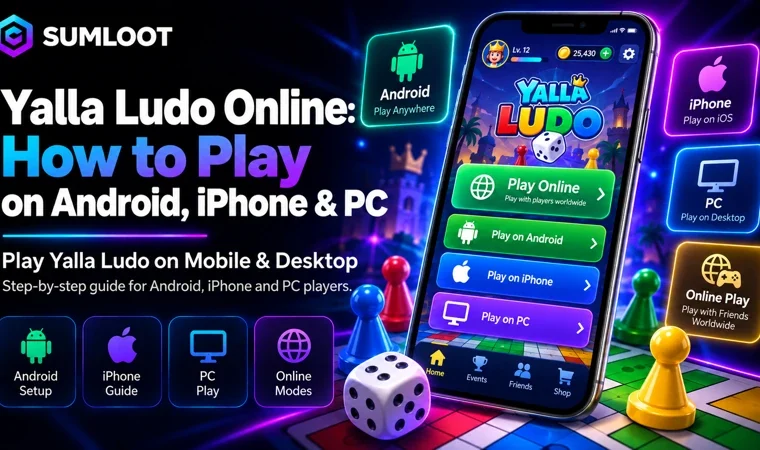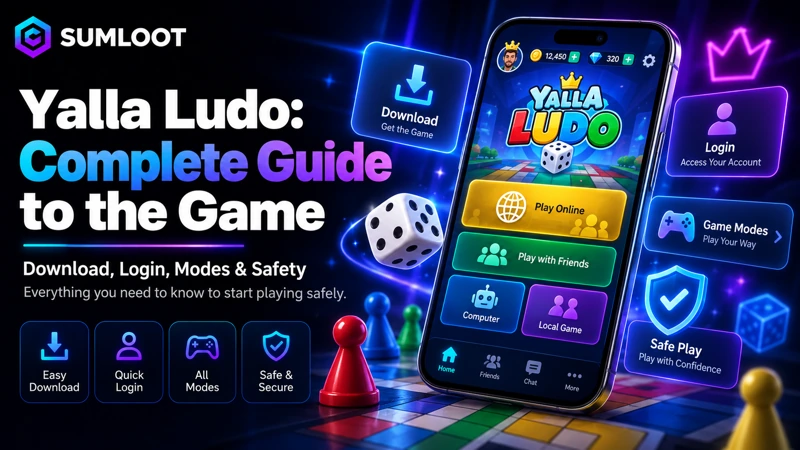
Yalla Ludo takes a familiar board game and adds something a normal Ludo board cannot: live online matches, voice chat, private rooms, and extra games in the same app. That mix has helped the app grow far beyond a simple digital Ludo board. The official Google Play listing shows more than 100 million downloads. The current app combines Ludo, Jackaroo, Domino, real-time voice chat, public chat rooms, rewards, and several match styles.
If you are new to the Yalla Ludo game, this guide covers the parts that matter: what the app does, how to install it, how to play, how login works, which modes you can choose, what players in Pakistan should know, and how to protect your account. A fair warning before we start: the dice may still hurt your feelings. No guide can fix that.
What Is Yalla Ludo?
The app focuses on online board-game play. Its main attraction is Ludo, but the current version also includes Jackaroo and Domino. Players can talk through real-time voice chat while they play, join public chat rooms, invite friends, and take part in daily activities.
Yalla Group lists the title as one of its main gaming products and describes it as an online board-game app with social voice features. That social side helps explain why the app feels different from a basic Ludo clone. You are not simply moving pieces around a board. You are playing with real people and, if you want, talking with them at the same time. The Yalla Ludo app is free to install, but it contains ads and in-app purchases.
Yalla Ludo Game Features at a Glance
Here is the simple version.
| Feature | What it offers |
|---|---|
| Ludo | 2-player, 4-player and team play with several rule styles |
| Jackaroo | Basic, Complex and Quick match types |
| Domino | 2-player and 4-player play with Draw Game and All Five |
| Voice chat | Real-time talking during play and social rooms |
| Multiplayer | Online matches with friends or other players |
| Private rooms | Friend-based room play and invitation options |
| Rewards | Daily activities, tasks and in-app rewards |
| In-app purchases | Gold, diamonds, VIP options and other paid items |
The current official store listing confirms these games and match choices. Features may change after future updates, so it makes sense to check the latest version before relying on an old video or screenshot.
Yalla Ludo Download: Use the Official Stores
For a safe Yalla Ludo download, start with the official app store for your phone. Random APK websites may offer an old build, a changed file, or software you never asked for. Free diamonds sound nice. Free malware sounds less friendly.
Yalla Ludo Android Download
For Yalla Ludo Android, use Google Play and check that the developer information matches YALLA TECHNOLOGY FZ-LLC. You can use the official Google Play listing to check the current app version and store information.
Before installing, check three things:
- The app name matches the official store listing.
- The developer name matches the official listing.
- The store page points to the real developer information.
Be careful with APK files that promise unlimited Gold, free Diamonds, cheats, or special account access. Offers like these often depend on unofficial files or account access, both of which can create security risks.
Yalla Ludo iPhone Download
For Yalla Ludo iPhone, use Apple’s App Store. The Pakistan App Store listing currently requires iOS 13.0 or later. App size can change as updates arrive, so check the current store listing before installing. The iPhone version also includes in-app purchases and social chat features. Parents should keep that social side in mind because an online chat game has different privacy concerns from an offline board game.
Yalla Ludo Pakistan: What Local Players Should Know
Yalla Ludo Pakistan players can install the official app through Google Play or Apple’s App Store. The Pakistan version includes the same main mix of Ludo, Jackaroo, Domino, voice chat, and online play. Pakistani players also have access to payment methods such as Easypaisa, JazzCash, and cards through supported payment services.
If you want to compare local payment choices in more detail, Sumloot has a Yalla Ludo diamond payment methods guide that covers common payment routes for Pakistani users. One point matters here. Sumloot works as an independent third-party order-processing service. It is not the game developer or the official Yalla store. Keeping that difference clear helps users know who they are buying from and where they should go if they need account support.
How to Play Yalla Ludo
People searching how to play Yalla Ludo usually want one of two things: the basic Ludo rules or an explanation of how the app works. The main goal follows the familiar Ludo format. You move your pieces around the board and try to bring them home before your rivals. Dice rolls control movement, while captures, safe spaces, entry rules, and other details can depend on the selected mode.
The smart move is simple: read the rules shown for the mode before the match begins. A rule you learned from a physical board may not match every digital version.
Start a Match
A normal setup looks like this:
- Open the app and sign in.
- Choose Ludo.
- Pick 2-player, 4-player, or team play.
- Choose a game mode.
- Invite friends or enter online matchmaking.
- Check the rules shown on screen.
- Start the match.
The serious part begins around step seven, when your friend gets one lucky roll and suddenly acts like they invented Ludo.
Yalla Ludo Game Modes Explained
The app supports several Ludo setups, including 2-player, 4-player, and team matches. The main modes include Classic, Master, Quick, and Arrow.
Classic Mode
Classic mode is a good starting point for players who want a familiar Ludo experience. New players can use it to learn the controls and get used to online matches before trying other modes.
Master Mode
Master mode gives regular players another rule setup. Check the current rules inside the app before starting because game updates may change small details over time. That is better than trusting a three-year-old video and discovering halfway through the match that the rules changed.
Quick Mode
Quick mode works well for players who want shorter matches. It suits people who want a faster session without committing to a long standard game.
Arrow Mode
Arrow mode gives players another way to play Ludo. The main benefit of having several modes is choice. Casual users and regular players do not have to follow one fixed ruleset every time.
Jackaroo in Yalla Ludo
Jackaroo sits beside Ludo and Domino inside the app. The game includes Basic, Complex, and Quick match options. Jackaroo follows a different board-game style from standard dice-based Ludo, so changing games means more than changing the board design. If you already know Jackaroo, the app gives you a way to play it online with friends.
If you are new to it, Basic mode gives you a simpler place to start before trying harder match types. That also gives groups another option when someone says one more Ludo match for the sixth time.
Domino Modes
Domino has its own multiplayer options. Players can choose 2-player or 4-player games, with match types such as Draw Game and All Five. That gives players a useful change of pace. Ludo focuses on dice and board movement. Jackaroo uses a different style of play. Domino asks you to make different choices again. Having three games in one app also means friends can change games without asking everyone to install something else.
Voice Chat and Social Play
Voice chat is one of the main reasons the app feels social. Players can talk during matches, join public chat rooms, send gifts, meet other users, and use social features outside a single match. For friends, this can make online play feel more like sitting around the same table. For strangers, use common sense.
Do not share:
- Passwords
- Verification codes
- Payment information
- Home addresses
- Private account details
- Personal documents
Information shared in public chat may be seen, copied, saved, or shared by other users. That gives you one simple rule: treat a public chat room like a public place, not a private family group.
How to Play With Friends
The play with friends feature makes it easy to set up matches with people you already know.
A common setup looks like this:
- Add or connect with your friends.
- Create or join a suitable game room.
- Pick the game.
- Select the mode.
- Invite the players.
- Turn on voice chat if your group wants to talk.
- Start playing.
Private or friend-based rooms work well for family groups, school friends, and regular gaming groups. They also avoid that awkward moment where a random player joins and treats a casual Ludo game like a national final.
Yalla Ludo Login: How Accounts Work
For Yalla Ludo login, the service supports linked account options. Depending on the device, region, and app version, users may see login methods connected with services such as Facebook or Apple ID. After login, the account links your game activity and player information to your profile.
Protect your account with a few basic habits:
- Do not share your password.
- Never send verification codes to another person.
- Check recharge pages before entering account information.
- Keep purchase receipts if you may need support later.
- Use the same login method when moving to another phone where possible.
Fake support accounts and fake recharge offers can also target players. A person asking for your password so they can add free currency is not offering customer service. They are offering you a problem.
Gold, Diamonds and In-App Purchases
The game includes virtual items such as Gold and Diamonds. Players can buy virtual currency through in-app purchase systems and other supported payment channels. Prices may differ by country, platform, package, exchange rate, or payment provider.
For Sumloot readers, these related guides can answer more specific questions:
- Read the Yalla Ludo Diamonds guide for package and recharge basics.
- Check the Yalla Ludo Diamond Price Chart before comparing package values.
- Use the Diamond Payment Methods guide to compare common payment choices.
- If an order does not appear, follow the Diamonds Not Received guide for troubleshooting steps.
- If you are checking APK purchase claims, read the Yalla Ludo Diamond Purchase App APK guide before installing files from unknown websites.
- Users in the Emirates can check the Yalla Ludo UAE purchase guide for local purchase information.
This gives the site a clear topic structure. This main page covers the full game, while the supporting pages answer narrow questions about prices, payment choices, recharge issues, and purchase methods.
Is Yalla Ludo Safe?
The app appears on Google Play and Apple’s App Store and lists Yalla Technology FZ-LLC in its developer information. Still, an official app cannot control every stranger, chat message, outside website, or recharge offer that a player may see.
Players should follow a few basic safety rules:
- Install the app from official stores.
- Keep login details private.
- Avoid cheat tools.
- Avoid modified APK files.
- Stay away from free-Diamond generators.
- Check payment services before sending money.
- Report users who send scams or harmful messages.
- Keep private details out of public chat rooms.
Safety may sound less exciting than winning a close match, but losing an account is a very boring way to end game night.
Yalla Ludo Android vs iPhone
The main game experience stays similar on Android and iPhone.
Store rules, app size, payment methods, device support, and update timing can differ.
| Area | Android | iPhone |
|---|---|---|
| Official store | Google Play | Apple App Store |
| Core games | Ludo, Jackaroo, Domino | Ludo, Jackaroo, Domino |
| Voice chat | Yes | Yes |
| In-app purchases | Yes | Yes |
| Store details | May vary by region | May vary by region |
| Best install route | Google Play | Apple App Store |
Both versions give users access to the main games and social features. Do not choose a phone based on an old app-size number or review score. Those values change. Use the platform you already prefer and keep the app updated.
Common Problems and Simple Fixes
The App Will Not Install
Check your free storage, internet connection, store access, and phone software. On iPhone, compare your iOS version with the current App Store requirement. On Android, check the device message shown inside Google Play. Avoid using an old APK just because the official store blocks installation. The store warning may be telling you that the device no longer meets the current requirements.
I Cannot Log In
Make sure you use the same login method linked to your account. If a connected login service has a problem, check that service as well. Do not create a second account by mistake if your real goal is to recover an older profile.
My Payment Completed but I Did Not Get the Item
Keep your receipt and transaction ID. Restart or refresh the app and check that you are signed into the correct account. Then contact the seller or payment provider used for the order. For Sumloot orders, the Diamonds Not Received guide explains the order-check process and helps users separate Sumloot support from official game support.
Someone Offered Free Diamonds
Do not share your password or verification code. Fake recharge deals, fake staff accounts, and unofficial currency sellers can target game users. If someone needs your login details to send a reward, treat that as a major warning sign. A real reward should not require handing over your account.
Why Yalla Ludo Stands Out
The app combines several board games with voice chat, friend play, public rooms, gifts, events, and several match styles. A normal mobile Ludo game can copy the board, dice, colors, and basic movement rules. The social side changes the experience. Players can switch from Ludo to Jackaroo or Domino while keeping the same app and social setup.
That gives groups more ways to play without moving to another service every time they want a different game. The large number of downloads also shows that the game has built a wide user base. Popularity alone does not mean every player will enjoy it. If you like online board games, multiplayer matches, voice chat, and social rooms, the feature mix may suit you. If you prefer quiet offline Ludo with no social features, a simpler game may fit better.
Frequently Asked Questions
Is Yalla Ludo free?
Yes. The app is free to install on Android and iPhone, but it includes in-app purchases. The Android version also shows ads.
Is Yalla Ludo available in Pakistan?
Yes. Pakistani users can install it through Google Play and Apple’s App Store. Local players can also use supported payment choices such as Easypaisa, JazzCash, and cards through available payment services.
Can I play Yalla Ludo with friends?
Yes. The game supports multiplayer play, team matches, room features, and social play with friends.
Which games are included?
The current app includes Ludo, Jackaroo, and Domino.
Which Ludo modes are available?
The main listed choices include Classic mode, Master mode, Quick mode, and Arrow mode.
Does Yalla Ludo have voice chat?
Yes. Real-time voice chat is one of the main social features of the app. Players can also use public voice rooms and other social tools.
How does Yalla Ludo login work?
Users can sign in through supported linked account methods. The exact choices can differ by device, region, or current app version.
Where should I download Yalla Ludo?
Use Google Play on Android or Apple’s App Store on iPhone. Avoid modified APK files, cheat builds, and unknown download websites.
Is Sumloot the official Yalla Ludo store?
No. Sumloot is an independent third-party order-processing platform. It does not own or develop Yalla Ludo. Users should contact official game support for game-account problems and Sumloot support for orders placed through Sumloot.
Final Thoughts
Yalla Ludo works because it takes a board game people already know and adds online matches, friends, voice chat, extra games, and several ways to play. The app now covers more than basic Ludo. Jackaroo and Domino give groups another choice when they want to switch games without leaving the same app. For new players, keep things simple.
Install the app from an official store, use a login method you can recover, learn one mode at a time, and keep private information out of public chats. If you spend money, check the seller and payment method before paying. Sumloot’s supporting guides can help readers compare prices, payment methods, packages, and order problems related to Sumloot services. And if the dice sends your best piece home one square before victory, blame probability. Your phone has suffered enough.