Table of Contents
Yalla Ludo Diamond Payment Methods in Pakistan: A Safe and Practical Guide
Choosing between different Yalla Ludo diamond payment methods should not feel like solving a puzzle before you can play a board game. Yet payment options, regional availability, exchange rates, and third-party sellers can make a simple top-up surprisingly confusing.
The safest method depends on your device, country, available payment account, and willingness to use an external service. A player in Pakistan may prefer JazzCash or Easypaisa, while another player may complete an in-app purchase with a supported card.
This guide explains the real options without promising impossible discounts, instant delivery from every provider, or “secret” payment tricks. It also separates officially recognized purchase routes from independent services so that you can make an informed decision.
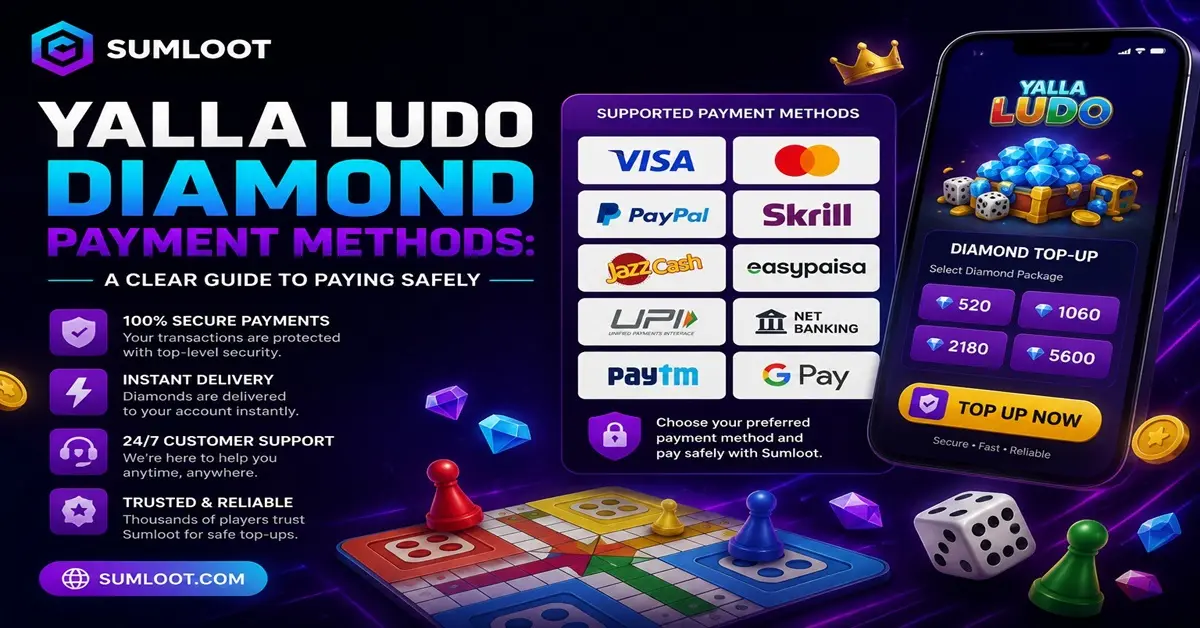
Quick Answer: How Can You Pay for Yalla Ludo Diamonds?
Yalla Ludo’s current Virtual Items Policy identifies these purchase routes:
- In-app purchases through platforms such as Google Play and Apple’s App Store
- Yalla Pay Center, which the policy describes as the third-party payment method it may approve
- Other application platforms that Yalla Ludo may support from time to time
Payment methods available inside those channels depend on your country, account, device, and payment provider. Pakistani buyers may also find independent top-up services that accept local transfers through JazzCash or Easypaisa. However, an independent seller does not automatically become an official Yalla Ludo partner simply because it accepts payment or delivers digital products.
That distinction matters. Delivery tells you whether an order reached an account. Authorization tells you whether Yalla Ludo permits the method used to complete it. You can read the current rules in the official Yalla Ludo Virtual Items Policy.
What Are Yalla Ludo Diamonds?
Diamonds form part of Yalla Ludo’s virtual-item system. The game combines Ludo, Jackaroo, Domino, multiplayer modes, and real-time voice chat. Its official store listings also confirm that the app contains in-app purchases. Players use virtual items within the game rather than treating them as real-world money. Yalla Ludo’s terms state that virtual currency has no cash value and cannot be redeemed for real money.
Before starting a Yalla Ludo diamond purchase, confirm three things:
- The exact diamond package
- The currency and final price
- The account that will receive the purchase
For a broader explanation of packages, uses, and recharge choices, visit the complete Yalla Ludo diamonds guide.
Official Yalla Ludo Diamond Payment Methods
Official routes give buyers the clearest connection to the game’s published purchase system. They also provide established payment records and support procedures. Still, “official” does not mean that every card will work in every country. Payment availability can change according to the billing region, account settings, card issuer, and platform rules.
Google Play In-App Purchases
Android users can purchase diamonds through the store inside the official Yalla Ludo app. Google Play processes the payment using a method connected to the buyer’s Google account. Google’s Pakistan payment-method page says supported cards may include major card networks, but it also warns that acceptance can vary. If a card should work but gets declined, Google recommends contacting the bank or card issuer.
To use this method:
- Download or open the official Yalla Ludo application.
- Confirm that you have signed in to the correct game account.
- Open the in-game diamond section.
- Select a package.
- Review the currency, quantity, and total.
- Approve the purchase through Google Play.
- Keep the digital receipt until the diamonds appear.
Always confirm the developer and package information before installing the app. The official Yalla Ludo Google Play listing identifies Yalla Technology FZ-LLC as the developer.
Google maintains a separate page listing accepted Google Play payment methods in Pakistan.
Apple App Store In-App Purchases
iPhone and iPad users can purchase diamonds through Apple’s in-app payment system. Apple charges the payment method attached to the relevant Apple Account.
The basic process resembles the Android checkout:
- Open the official Yalla Ludo app.
- Check which Yalla Ludo account you are using.
- Select the diamond package.
- Review the displayed price.
- Confirm the purchase through Apple.
- Save the receipt.
Apple payment methods differ by country or region. Do not assume that a method available on another person’s iPhone will also appear on yours. You can verify the application through the official Yalla Ludo App Store listing.
Yalla Pay Center
Yalla Ludo’s Virtual Items Policy identifies Yalla Pay Center as the third-party payment method it may approve for Gold and Diamond purchases. The policy says users need a Yalla Pay account and that the price appears at the point of recharge. Yalla Pay may offer different payment mechanisms depending on location. Check the live checkout instead of relying on an old screenshot, video, or price table.
Before paying through Yalla Pay:
- Confirm that you are on the genuine Yalla Pay website.
- Review the package and displayed currency.
- Read its current terms and privacy policy.
- Check the Player ID or account information.
- Save the payment and order confirmation.
An old bookmark can occasionally become the internet equivalent of taking directions from a retired taxi driver. Start from Yalla Ludo’s current policy when you want to verify the approved destination.
JazzCash and Easypaisa for Pakistani Players
JazzCash and Easypaisa give Pakistani consumers convenient ways to make digital payments and transfers. Their official websites describe services that include wallet transfers, account payments, and other digital transactions. However, wallet capability and merchant authorization are two separate questions.
A seller may accept a JazzCash or Easypaisa transfer, but that fact alone does not prove that Yalla Ludo approves the seller’s recharge method. Always investigate the business and compare its process with Yalla Ludo’s current policy. SUMLOOT currently presents JazzCash and Easypaisa among its checkout options.
It also describes itself as an independent third-party order-processing service rather than the owner or official representative of Yalla Ludo. If you decide to use an independent service, start from the SUMLOOT homepage and read its current delivery, refund, and business disclosures before ordering.
How a Local Wallet Payment Usually Works
The exact steps depend on the seller, but a typical process may look like this:
- Select the required diamond package.
- Provide the receiving Player ID.
- Enter the necessary contact information.
- Choose JazzCash or Easypaisa.
- Transfer the exact checkout amount.
- Upload or retain the payment receipt.
- Save the order number.
- Track the order until completion.
Never send your wallet MPIN, OTP, recovery code, or game password through WhatsApp, email, or a website chat. JazzCash states that users should protect their MPIN and other account-access information. Easypaisa also provides its services through official apps, accounts, and registered channels. Check the official JazzCash website or official Easypaisa payment information when you need help with the wallet itself.
Comparing Yalla Ludo Diamond Payment Methods
No single payment option works best for every buyer. Use this comparison as a decision guide rather than a promise of availability.
| Payment route | Best suited to | What to verify |
|---|---|---|
| Google Play | Android users with a supported payment method | Correct Google account, country and final price |
| Apple App Store | iPhone or iPad users | Apple Account, billing region and displayed total |
| Yalla Pay Center | Users who prefer Yalla’s recognized external payment route | Correct domain, account, package and currency |
| JazzCash | Pakistani users paying through a seller that accepts local transfers | Seller identity, recipient details and order record |
| Easypaisa | Pakistani users without an international card | Merchant details, refund terms and receipt |
| Debit or credit card | Buyers with a supported card | Merchant, currency, bank approval and secure checkout |
| Razer Gold | Users in a region where the relevant Yalla Ludo product remains available | Regional catalog, package, redemption process and terms |
Availability can change. The method shown at checkout matters more than a payment logo mentioned in an old article.
Can You Use a Debit or Credit Card?
Google Play and Apple commonly support eligible debit and credit cards, although card networks and account requirements vary by country.
A card can fail for several reasons:
- The bank blocks international or gaming-related payments.
- The billing address does not match.
- The card has expired.
- The account has insufficient funds.
- The bank requires an additional verification step.
- The app-store country conflicts with the payment profile.
- The card issuer does not support that transaction.
Do not keep retrying a declined purchase without checking its status. Repeated attempts may create temporary authorizations or multiple pending transactions. Contact your bank through the number printed on the card or shown in its official app. Avoid calling a “support number” copied from an unverified social-media comment.
What About Razer Gold Yalla Ludo Payments?
The keyword Razer Gold Yalla Ludo usually refers to purchasing or redeeming a Yalla Ludo product through a regional Razer Gold catalog. Razer Gold has listed Yalla Ludo top-up products in certain regional catalogs. That does not guarantee identical availability, pricing, or packages in Pakistan. Check the country selector and current catalog before purchasing a Razer PIN or balance specifically for Yalla Ludo.
Visit the relevant Razer Gold Yalla Ludo catalog page and verify:
- Your selected country or region
- The product name
- Whether the item contains Gold, Diamonds, or another product
- The required Player ID or redemption method
- The final price and currency
- Refund and delivery conditions
Do not buy a general Razer Gold code first and ask questions later. Digital codes have a talent for becoming very complicated immediately after someone redeems the wrong one.
Are PayPal, Apple Pay and Google Pay Supported?
Avoid making a universal claim about these methods. Payment options depend on the country, checkout provider, device, and account configuration. PayPal may appear on certain international platforms but may not appear for every Pakistani user.
Apple Pay and Google-linked payment options also depend on regional support and participating banks. Use a method only when the genuine checkout page displays it for your account. Never send a PayPal payment to an unknown personal address simply because a seller uses the words “buyer protection.”
The checkout should clearly identify:
- The merchant or recipient
- The purchased item
- The payment amount
- The currency
- Any fee
- The applicable refund terms
How to Complete a Yalla Ludo Diamond Purchase Safely
Safe payment starts before you press the final button.
Verify the Purchase Channel
Compare the channel with Yalla Ludo’s current Virtual Items Policy. A professional-looking page, SSL certificate, or brand logo does not prove official approval.
Confirm Your Player ID
Copy the Player ID directly from your profile. Check every digit before submitting the order.
A password lets someone access an account. A Player ID identifies an account. A normal ID-based top-up should not require your password.
Review the Final Price
Prices may change with region, currency, package, tax, or payment provider. Use the amount displayed during the current checkout.
For package-related information, consult the Yalla Ludo diamond price chart, but always treat live checkout as the final reference.
Keep Your Receipt
Save the payment receipt, transaction ID, order number, selected package, and Player ID. These details give support teams something concrete to investigate. “Trust me, bro” may work in a friendly Ludo match. It performs poorly as a payment record.
Protect Security Codes
Never disclose:
- Game or email passwords
- Wallet MPINs
- Card PINs
- One-time passwords
- Account recovery codes
- Full card details through chat
For more warning signs, read the Yalla Ludo diamond safety guide and the separate Yalla Ludo scam guide.
What Should You Do If Payment Succeeds but Diamonds Do Not Arrive?
First, do not purchase the same package again. A second payment can turn one unresolved order into two unresolved orders. Check the transaction status with the company that processed the payment. For Google Play purchases, Google recommends checking whether the transaction completed, reopening the app, confirming connectivity, and reviewing purchase history. You can follow its official in-app purchase troubleshooting guide.
Next:
- Confirm that you opened the correct Yalla Ludo account.
- Restart the app and check the balance again.
- Review the payment status.
- Confirm the Player ID entered during checkout.
- Collect the receipt and transaction number.
- Contact the payment processor or seller.
- Contact Yalla Ludo support for an unresolved in-game delivery issue.
The party that took the payment should handle the payment record. Yalla Ludo support should handle issues within the game. Sometimes you may need both. See the full Yalla Ludo diamonds not received guide for a step-by-step troubleshooting process.
How Should You Choose the Best Payment Method?
Start with official in-app purchasing or Yalla Pay Center when you want a route directly identified in Yalla Ludo’s published policy. Choose Google Play if you use Android and already have a supported payment method. Choose the App Store if you use an Apple device and your Apple Account supports the purchase.
If you need JazzCash or Easypaisa, carefully evaluate the independent service accepting the transfer. Confirm its identity, disclosures, order-tracking process, refund terms, and status under Yalla Ludo’s rules. Never choose a seller solely because it advertises the lowest price. A cheap package loses its charm quickly when the diamonds, refund, and seller all disappear at the same time.
Frequently Asked Questions
What are the safest Yalla Ludo diamond payment methods?
Yalla Ludo’s policy identifies in-app purchases through platforms such as Google Play and the App Store. It also identifies Yalla Pay Center as the third-party payment method it may approve. Check the latest policy because supported routes can change.
Can I buy Yalla Ludo diamonds with JazzCash?
Independent Pakistani services may accept JazzCash transfers. Verify the seller, payment recipient, delivery terms, refund policy, and compliance with Yalla Ludo’s rules before paying. JazzCash acceptance alone does not establish official authorization.
Can I use Easypaisa for a Yalla Ludo diamond purchase?
Some independent top-up services accept Easypaisa. Check the live checkout and seller terms. Never share your Easypaisa PIN or OTP with a seller.
Does Yalla Ludo accept PayPal?
PayPal availability depends on the store, region, and payment provider. Use it only if the legitimate checkout displays PayPal for your account. Do not assume universal support.
Can I use Razer Gold for Yalla Ludo?
Razer Gold has listed Yalla Ludo products in certain regional catalogs. Confirm current availability, region, product type, and redemption instructions before buying.
Why did my Yalla Ludo payment fail?
Common causes include insufficient balance, bank restrictions, incorrect billing details, regional mismatch, verification failure, or a pending transaction. Check the payment provider’s official transaction history before trying again.
Should I share my Yalla Ludo password during a recharge?
No. Keep passwords, OTPs, MPINs, card PINs, and recovery codes private. An ID-based recharge may require a Player ID, but your Player ID is not the same as your password.
Are Yalla Ludo hack APK payment offers legitimate?
Treat Yalla Ludo hack APK and Yalla Ludo hack APK download offers as serious warning signs. Do not install modified software to obtain paid currency. Such files may expose your device or account, while unauthorized virtual-item activity can violate the game’s terms.
Final Thoughts
The right Yalla Ludo diamond payment method should provide a clear price, identifiable payment processor, accurate order record, and sensible support route. Official in-app purchasing gives Android and iPhone users a straightforward option. Yalla Pay Center provides another route recognized in Yalla Ludo’s policy.
JazzCash and Easypaisa can offer local convenience through services that accept them, but buyers must examine the seller and the game’s rules carefully. Check the package. Confirm the Player ID. Protect your passwords and security codes. Save the receipt. Those steps take less than a minute. Recovering money or an account after a careless purchase can take considerably longer—and that is time you could have spent blaming the dice like a normal Yalla Ludo player.