If you want to know how to buy Yalla Ludo Gold in Pakistan without dealing with an international card, the simplest route is a local Player ID top up. On SUMLOOT, you choose a Gold package, enter the receiving Yalla Ludo Player ID, complete checkout with JazzCash, Easypaisa or bank transfer, upload payment proof, and then use the order number to follow delivery. The key is not speed; it is accuracy. A correct Player ID and a clear payment receipt matter more than rushing through checkout.
For current packages and checkout, use the Yalla Ludo Gold purchase page. If you want to compare package costs before ordering, see the Yalla Ludo Gold price guide.
What You Need Before You Buy Yalla Ludo Gold
- Your correct Yalla Ludo Player ID copied from your own profile.
- A Gold package that matches how much you actually plan to use.
- A Pakistani payment method such as JazzCash or Easypaisa.
- A screenshot or receipt showing the completed payment.
- Your order number and the same contact details used during checkout.
Do not share your Yalla Ludo password simply to complete a Player ID top up. The receiving identifier and payment details are enough for the normal SUMLOOT order flow. If you are unsure which number in your profile is the correct ID, check the Yalla Ludo Player ID guide before paying.
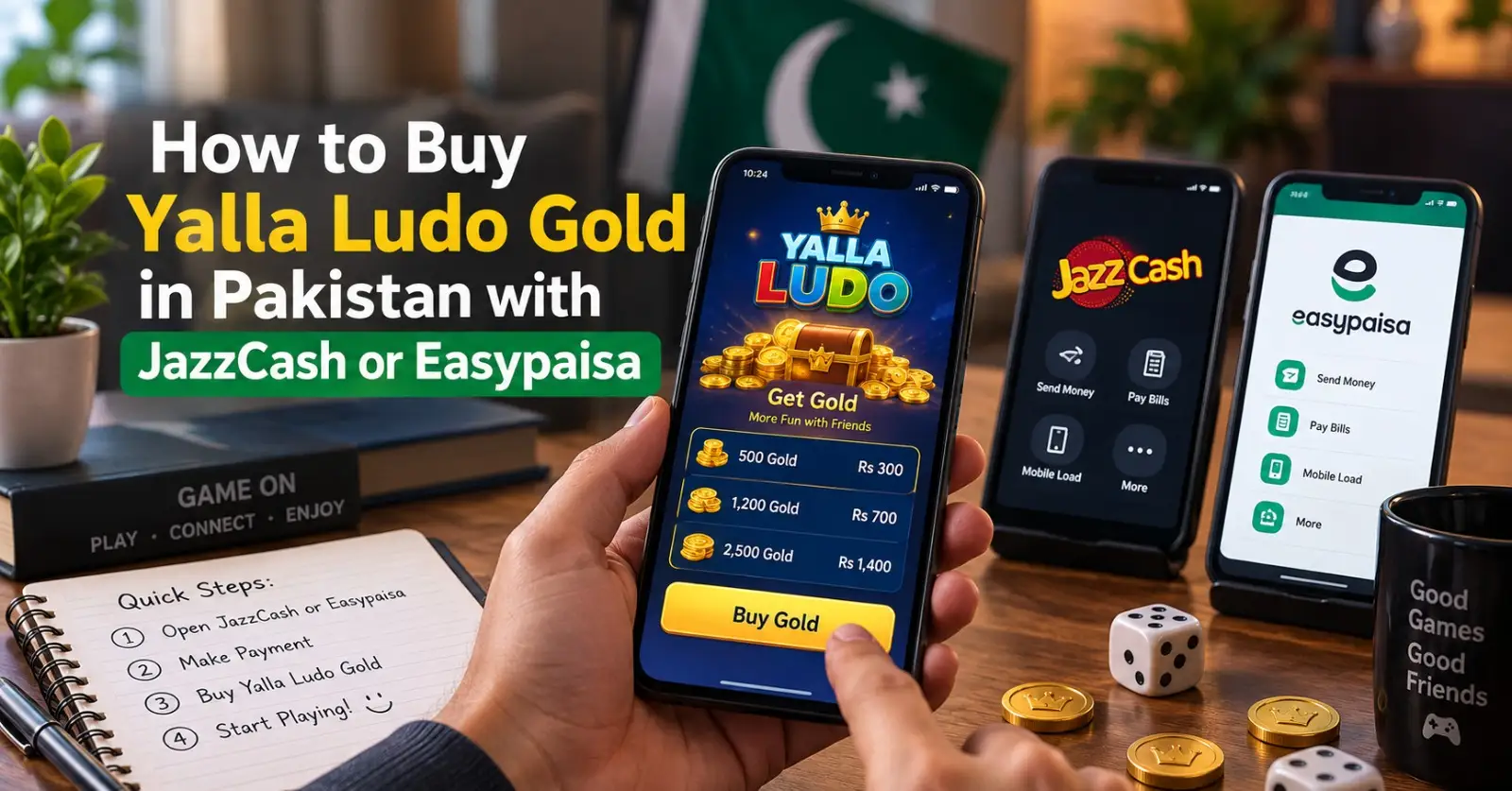
Step-by-Step: Buy Yalla Ludo Gold in Pakistan
- Open the SUMLOOT Yalla Ludo Gold page and review the currently available Gold packages.
- Choose the package that fits your budget and intended use. Do not assume the largest pack is automatically right for every player.
- Open Yalla Ludo, copy your Player ID from your profile, and paste it into the receiving Player / Account ID field. Avoid typing it from memory.
- Continue to checkout and enter your email address or Pakistani mobile number so the order can be matched to you.
- Select JazzCash or Easypaisa, transfer the exact amount shown at checkout to the displayed payment account, and keep the transaction receipt.
- Upload a clear payment screenshot in the checkout flow and submit the order.
- Save the SUMLOOT order number. Use it with your checkout email or phone to follow the order status until delivery is complete.
How JazzCash Yalla Ludo Gold Payment Works
For a JazzCash Yalla Ludo Gold purchase, the important part is matching the payment to the order. Select JazzCash at checkout, use the payment details displayed there, transfer the exact order total, and upload proof from the completed transaction screen. Your screenshot should make the amount and transaction status easy to read. If the transfer is pending in JazzCash, wait for the wallet to confirm it before treating the payment as complete.
Avoid sending money first and then trying to create an order around it. The safer sequence is package first, order details second, payment method third, and proof last. This creates a cleaner record if support needs to review the transaction.
How Easypaisa Yalla Ludo Gold Payment Works
The Easypaisa flow is similar. Select Easypaisa during checkout, transfer the displayed total to the account shown for that order, save the successful payment receipt, and upload it before submitting. Check the recipient details on the payment screen rather than relying on old screenshots, forwarded account numbers, or details saved from a previous order.
A local payment is convenient, but it does not remove the need to verify the receiving game ID. Payment confirms the order; the Player ID determines where the Gold is intended to go.
Choose the Right Gold Package Before Paying
Players often focus on the payment method and forget the package decision. Compare both the total PKR cost and the amount of Gold you receive. Larger packs may offer a different effective cost per unit, while smaller packs reduce how much you commit in one purchase. The best choice is the package that matches your normal gameplay and spending plan, not simply the biggest number on the page.
For a package-by-package breakdown, use the Yalla Ludo Gold packages guide. Prices can change, so always treat the live product page and checkout total as the current source for what you will actually pay.
Why the Player ID Matters More Than the Payment Method
JazzCash and Easypaisa only handle the money side of the transaction. The Player ID is what connects the digital top up to the intended Yalla Ludo account. Copy the ID directly from the profile, paste it into the order, and compare the first and last few digits before submitting. Do not rely on a nickname because display names can be similar or changed.
Different third-party guides on the web claim different fixed lengths for Yalla Ludo IDs. That is exactly why a fixed digit count should not be your validation method. The practical rule is simpler: copy the ID shown in your own Yalla Ludo profile and use it exactly as displayed.
What Happens After You Submit the Order?
SUMLOOT places the order in a processing queue after your payment proof is received. Its live site currently describes most eligible orders as typically completing in roughly 5-15 minutes, while also making clear that delivery time is an estimate and can vary with official processing, server load, working hours, high traffic, or technical issues. Keep your order number until the Gold appears in the correct account.
If the Gold does not appear after the normal processing window, do not immediately place a second order. First refresh or restart the game, confirm you are checking the same account whose Player ID you submitted, and then review your order status. The Gold not received troubleshooting guide covers the next steps in detail.
Important Safety Rules for Local Top Ups
- Use the live checkout details shown for the current order, not payment information copied from an old message.
- Never send your game password, email password, OTP, PIN, or wallet login to complete a normal Player ID top up.
- Confirm the Player ID before payment and again before final submission.
- Keep the payment receipt and order number until delivery is confirmed.
- Avoid claims such as “guaranteed cheapest,” “official partner,” or “zero risk” unless the seller can substantiate them.
SUMLOOT operates as an independent third-party order processing service rather than the owner of Yalla Ludo. Yalla Ludo itself explains how Gold and Diamonds may be acquired and used in its official Virtual Items Policy.
Common Mistakes to Avoid
| Mistake | Why It Causes Problems | Better Approach |
| Typing the Player ID manually | One wrong digit can point to another account | Use the copy function from your profile |
| Paying to old account details | Payment instructions may change | Use the details shown in the current checkout |
| Uploading an unclear screenshot | Support may not be able to verify the payment quickly | Upload a full, readable successful-payment receipt |
| Ordering twice during a delay | You may end up with two valid orders | Check status and contact support before re-ordering |
| Sharing login credentials | It exposes information that a Player ID top up should not require | Share only the information needed for the order |
When Should You Buy Gold Instead of Diamonds?
Buy Gold when the activity you want to complete specifically uses Gold. Buy Diamonds when the in-app item or feature you want is priced in Diamonds. The two balances have different uses, and Yalla Ludo can adjust those uses over time. If you are deciding between them, read Yalla Ludo Gold vs Diamonds before purchasing the wrong currency for your goal.
Frequently Asked Questions
Can I buy Yalla Ludo Gold with JazzCash in Pakistan?
Yes. SUMLOOT currently lists JazzCash as a checkout payment option for its Yalla Ludo Gold orders. Follow the payment details displayed in the live checkout and upload a successful payment receipt.
Can I use Easypaisa for a Yalla Ludo Gold top up?
Yes. Easypaisa is also shown as a local payment option on SUMLOOT. Use the account information displayed for the current order rather than saved details from an older transaction.
Do I need my Yalla Ludo password?
A normal Player ID top up should not require you to hand over your game password. Use the receiving Player ID requested by the order form and keep credentials, OTPs and wallet PINs private.
How do I find the correct Yalla Ludo Player ID?
Open your Yalla Ludo profile and copy the numeric ID shown for your account. Do not validate it by a fixed number of digits because third-party guides disagree on ID length.
What if my Gold is not received immediately?
Check the order status, restart or refresh Yalla Ludo, verify the submitted Player ID, and allow for normal processing variation. If the order remains unresolved, contact SUMLOOT support with your order number and payment proof.
Can I cancel after paying?
Cancellation depends on whether the order can still be stopped before submission and delivery. If you made a mistake, contact support immediately rather than waiting for the order to complete.